

Agent installation
The Agent bridges Odoo and Asterisk:- Sends required AMI events/recordings to Odoo.
- Executes AMI actions from Odoo.
- Implements billing; optional SIP attack protection; optional web CLI backend.
Requirements
- Docker and docker-compose.
- AMI user on Asterisk (example
manager.conf):
manager show user asterisk_plus_agent.
Configure AMI in Odoo
PBX → Settings → Server. Fill AMI host/port/login/password. (See screenshotagent-ami-settings.png if needed.)
Run the Agent (docker-compose)
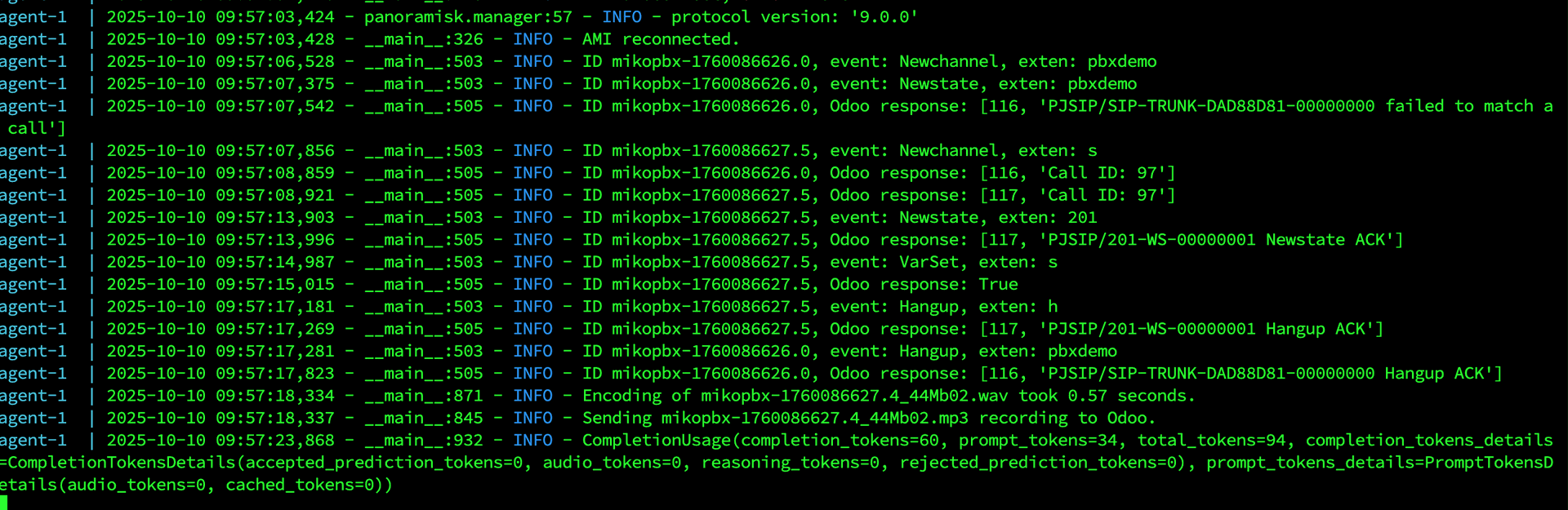
Agent in action
Server URL in Odoo
PBX → Settings → Server → set Agent URL.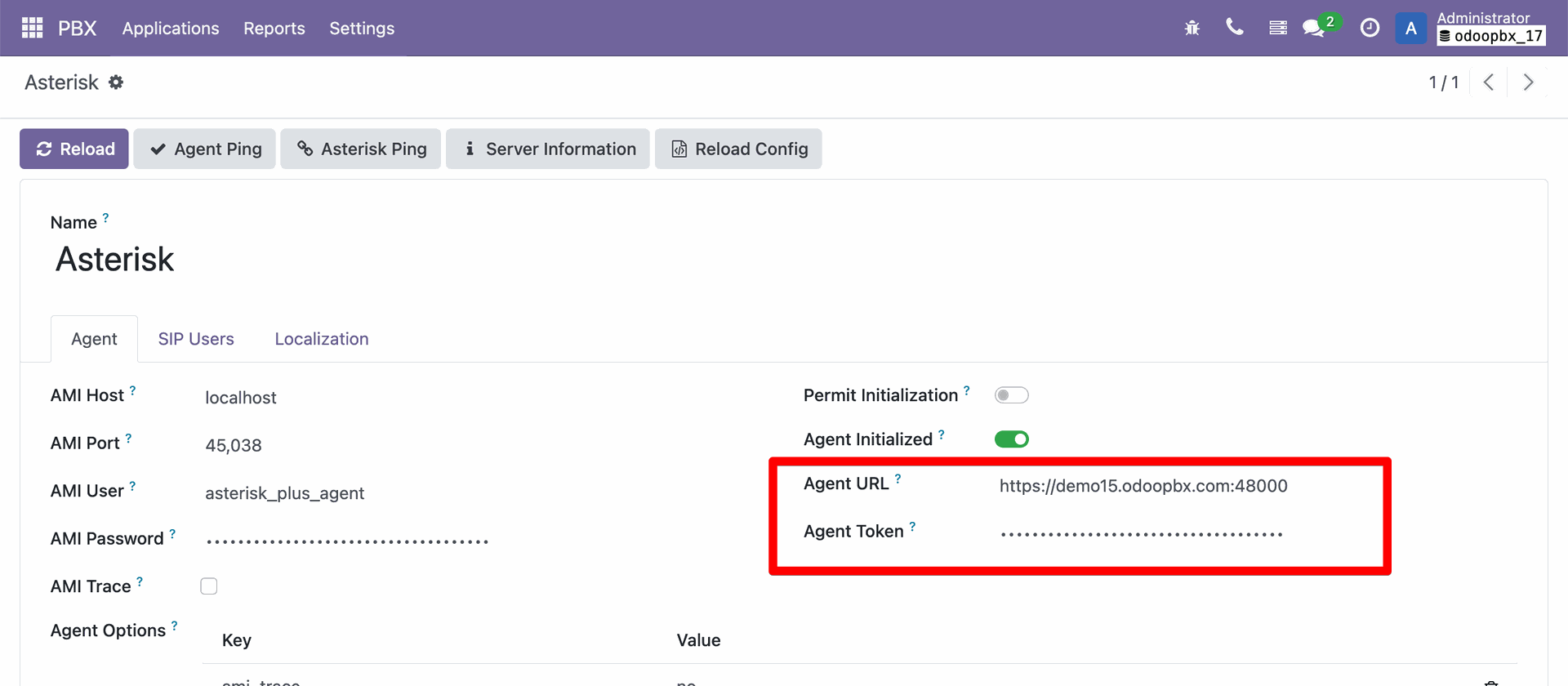
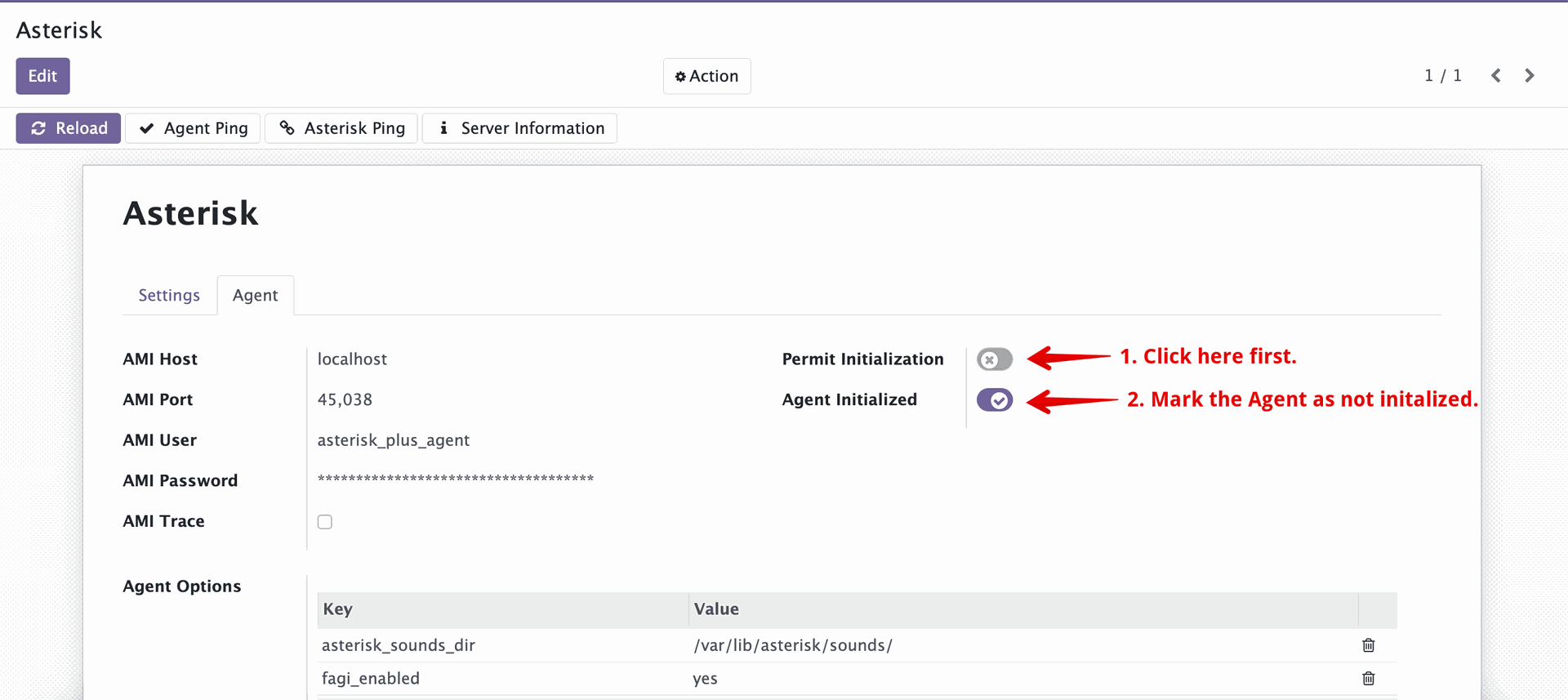
Initialization / reconnection
- First successful connect locks initialization.
- To re-init (e.g., container recreated), permit initialization in Odoo Settings (Initialization section), then rerun the Agent.
- To point Agent to a new Odoo URL, run once with
--init https://your.odoo.server, then remove--initand run normally.
Troubleshooting
- AMI login fails: ensure manager.conf reloaded (
core reload) and user shows in Asterisk console. init: trueunsupported: removeinitkey in compose.