

Installation & Configuration
1) Install the service
- Install the Odoo modules and the Twilio Audio Interface service from
connect_elevenlabs/service. - Copy and fill the environment file, then install dependencies and run:
- In Odoo, set a password for the
connectportal user (remove the Internal Users filter to see it) and reuse it in.env.
2) Expose the service with ngrok
- Create an ngrok account, install the CLI, and add your auth token:
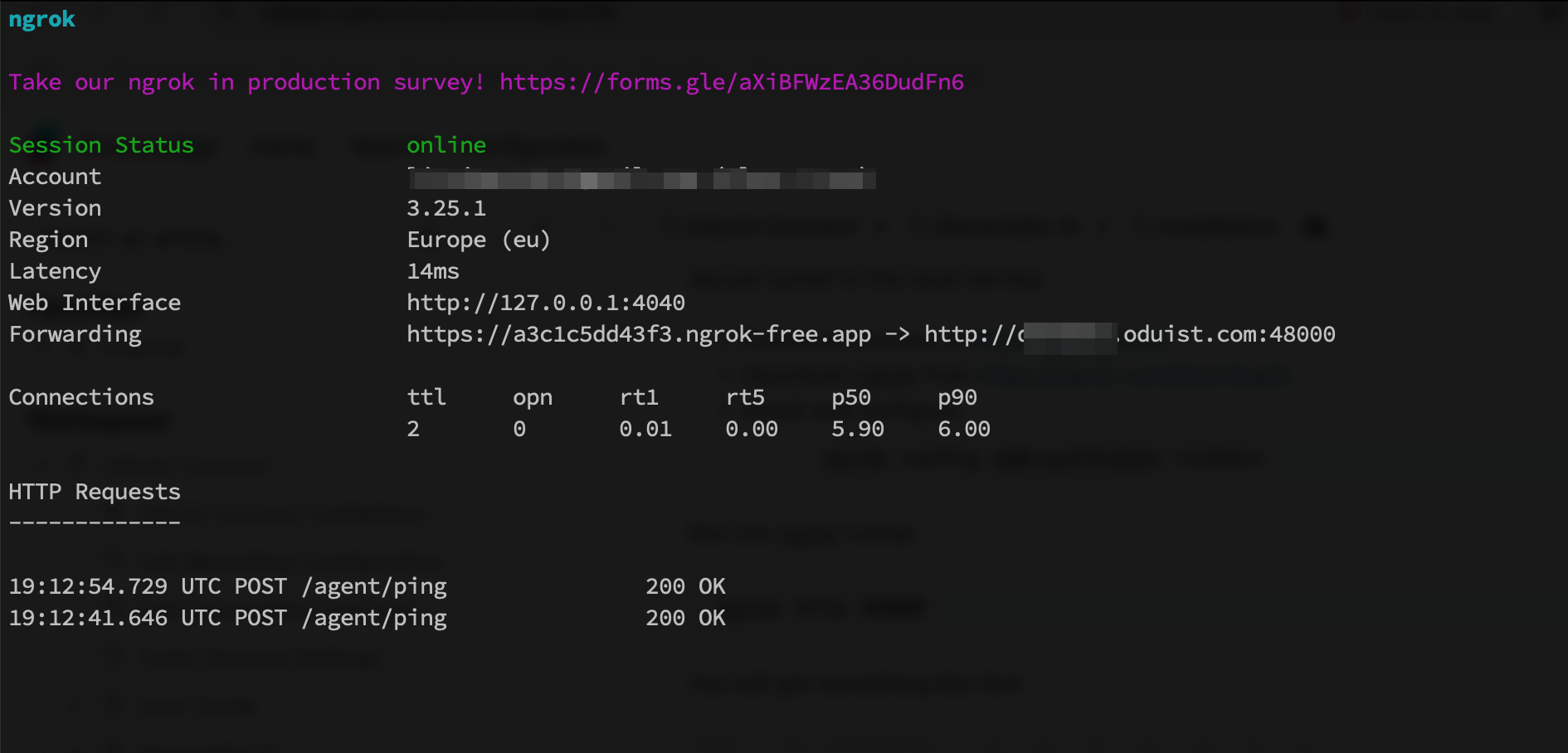
3) Agent URL in Connect
In Connect → Settings → ElevenLabs → Settings, set the Agent URL to the public ngrok URL.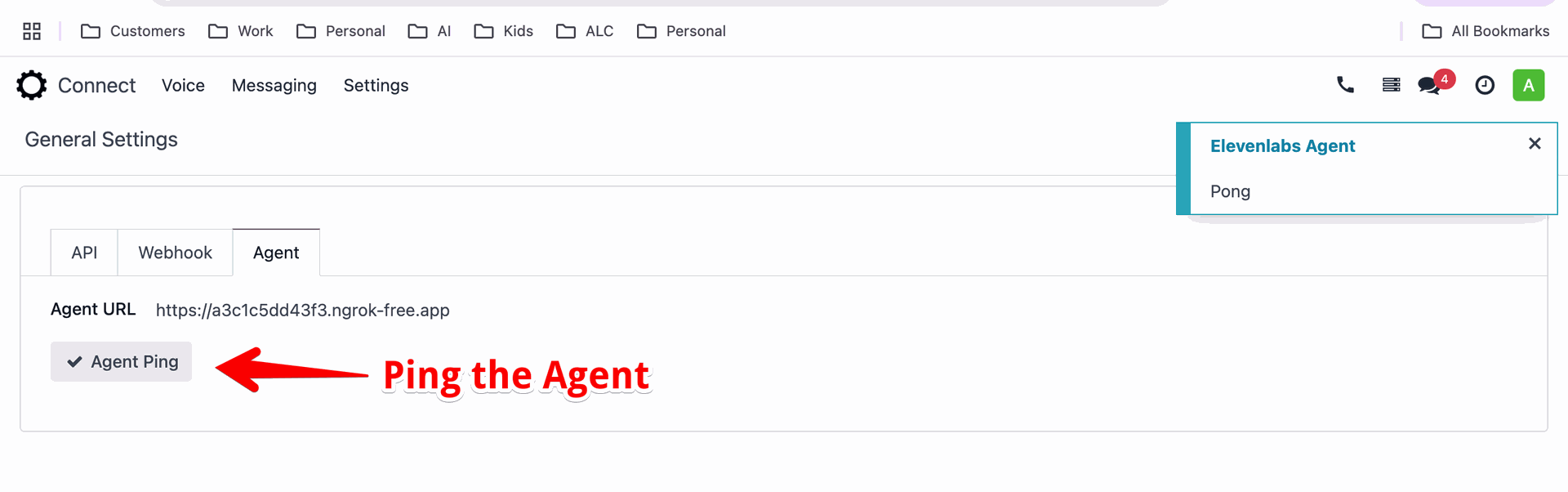
4) Post-call webhook from Odoo
Copy the Post-Call Webhook URL shown in ElevenLabs → Settings.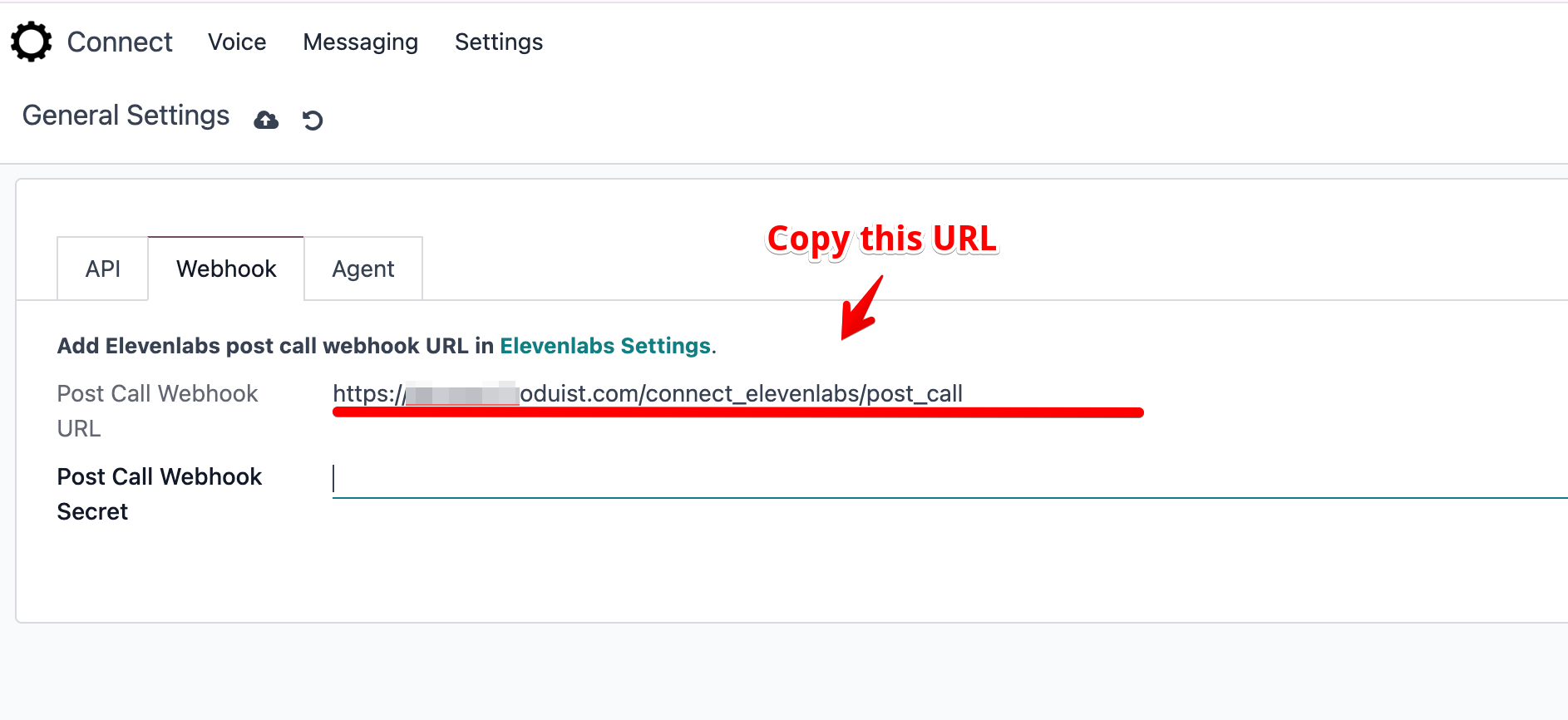
5) Create webhook in ElevenLabs
Paste the URL into the ElevenLabs webhook form and save.
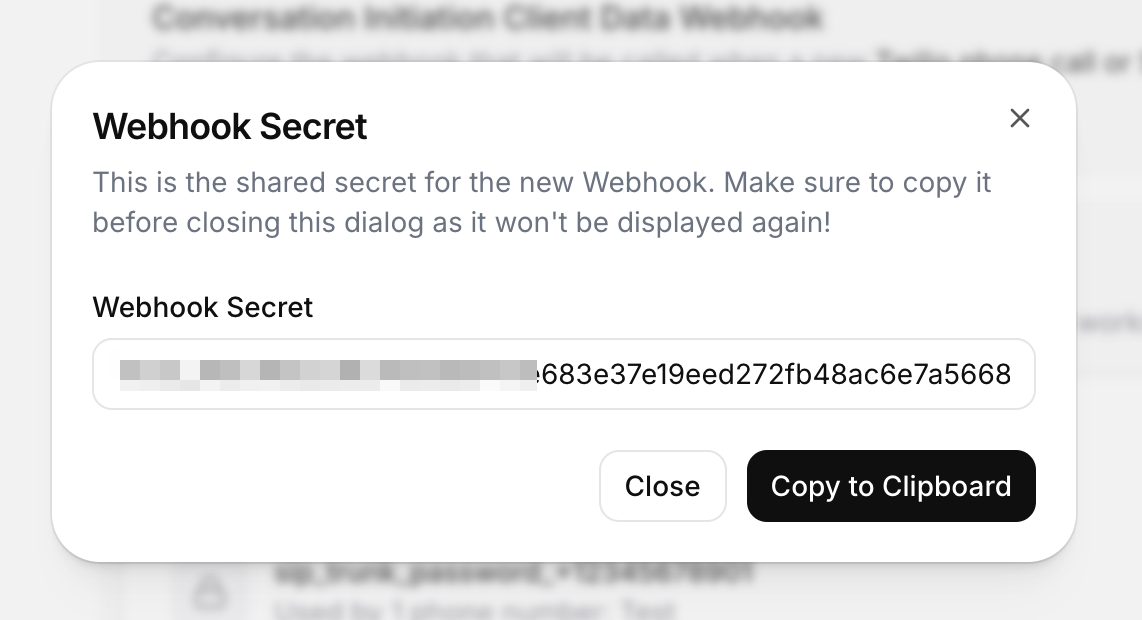
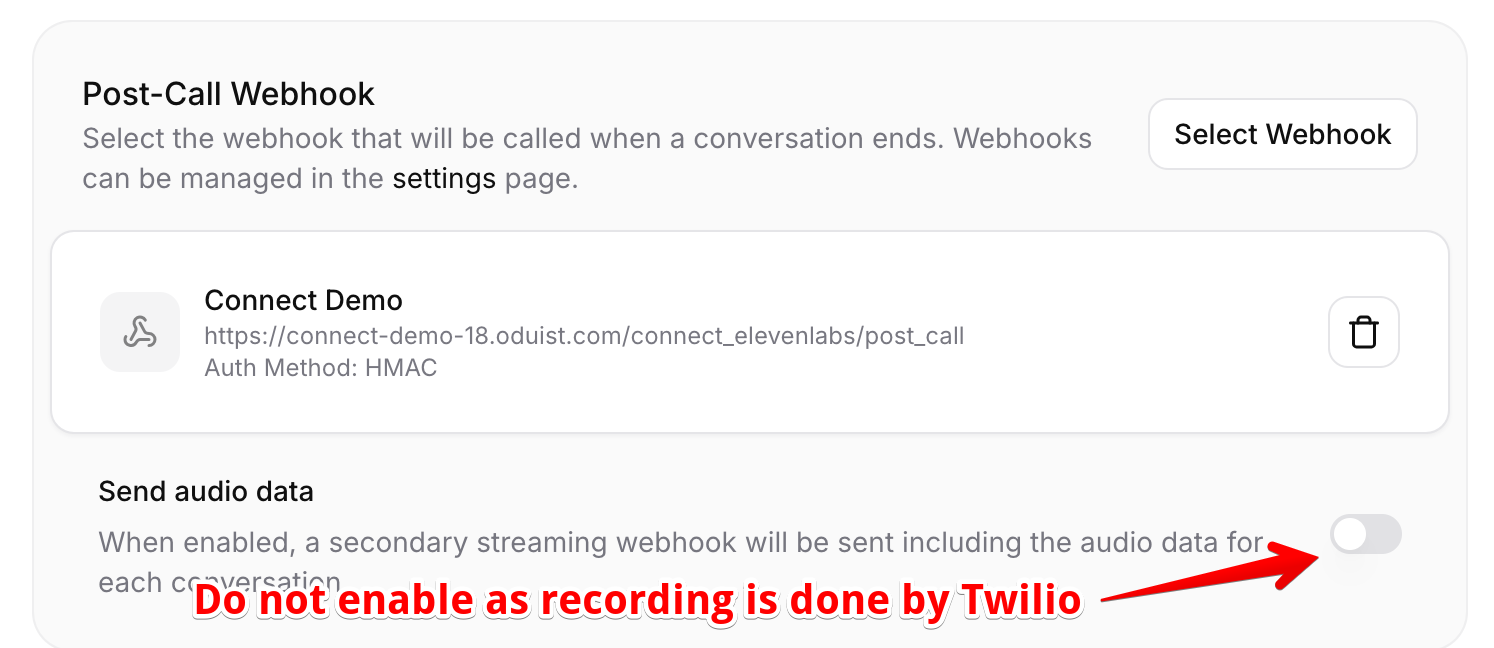
6) Store webhook secret in Odoo
Paste the secret back into Connect → Settings → ElevenLabs.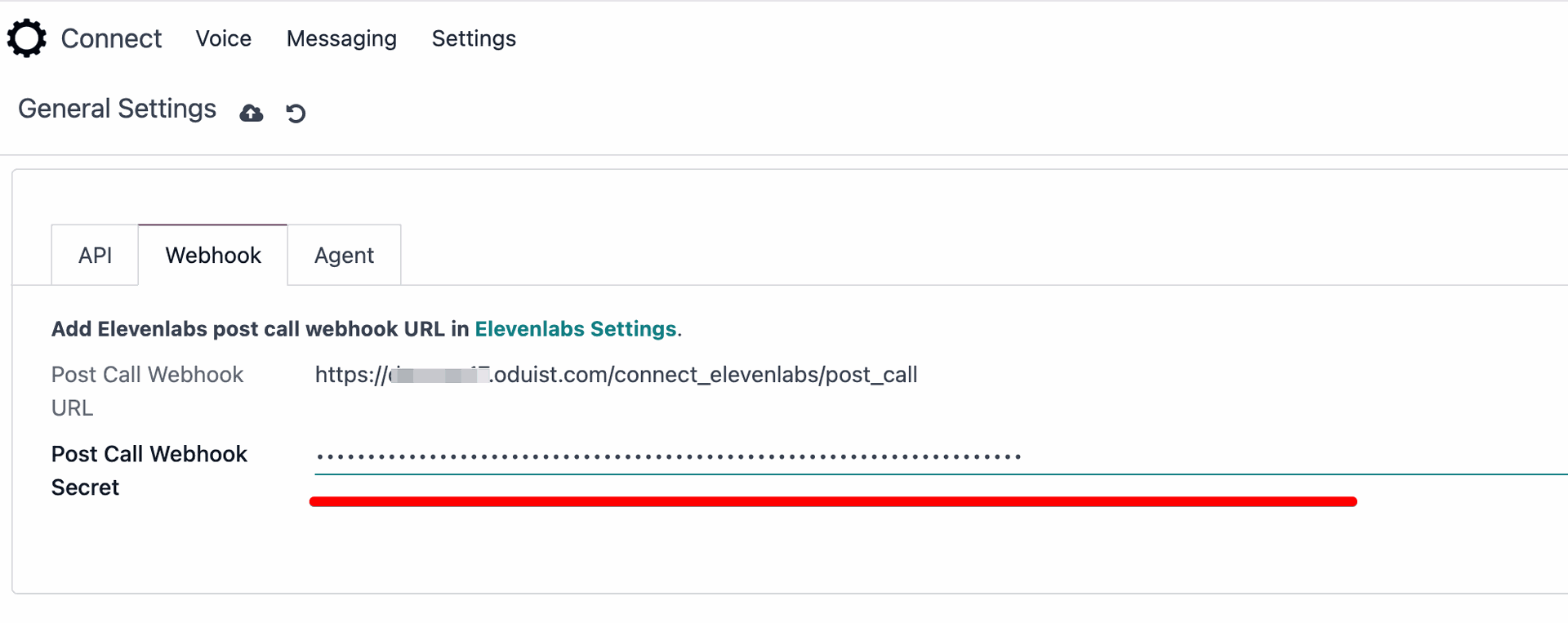
7) Run in production with systemd
Use systemd units to keep ngrok and the agent running after reboots. Replace paths and users as needed.Ngrok service
Create/etc/systemd/system/ngrok-elevenlabs.service:
Agent service
Create/etc/systemd/system/elevenlabs-agent.service:
Enable and monitor
.env file owned/readable by the service user only.
Other HTTPS tunnel options
- Cloudflare Tunnel (Argo): free tier, custom domain, TLS handled by Cloudflare; no inbound ports needed.
- Tailscale Funnel: quick HTTPS from a private node; good for internal services with short-lived public URLs.
- Caddy or Nginx reverse proxy + Let’s Encrypt: terminate TLS on your own server/static IP or VPS.
- Traefik: dynamic reverse proxy with auto-cert via ACME and service discovery (Docker/K8s friendly).
- frp (Fast Reverse Proxy): self-hosted tunnel; run your own frps server and frpc client.
- LocalTunnel or Pagekite: lightweight OSS tunnels for quick testing (not ideal for production).