> ## Documentation Index
> Fetch the complete documentation index at: https://docs.oduist.com/llms.txt
> Use this file to discover all available pages before exploring further.
# AI call transcription and summary
> Enable AI transcription, configure summary prompts, and control when calls are sent.
# AI call transcription and summary
## Activate and configure
PBX → Settings:
* Set **Summary prompt** (write the instructions in your language).
* Enable **Register summary** to post summaries on partner/reference records.
* Define **Calling** / **Called number patterns** (Python regex) to control which calls are sent (API is billed).
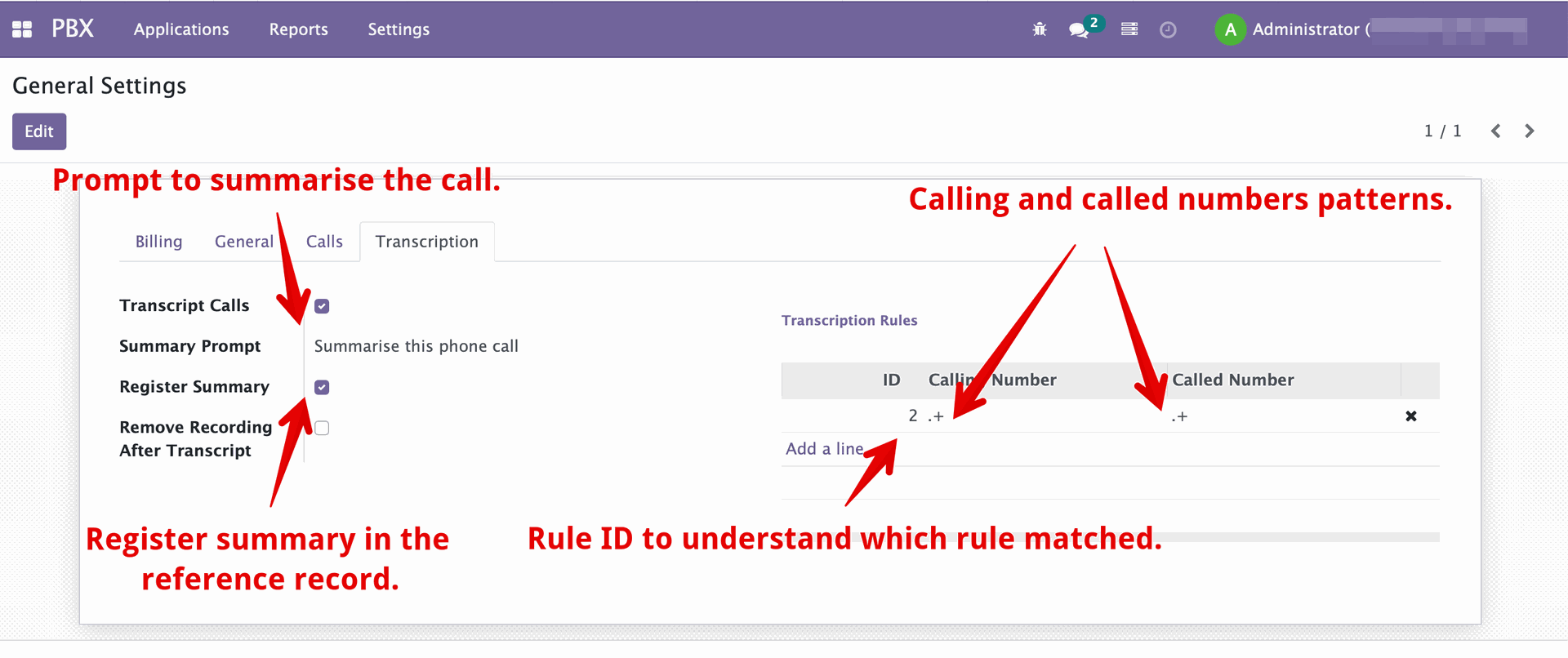 Example patterns:
* `.+` — all numbers
* `^100.+$` — numbers starting with 100
* `^.+90$` — numbers ending with 90
* `^1234567890$` — exact number
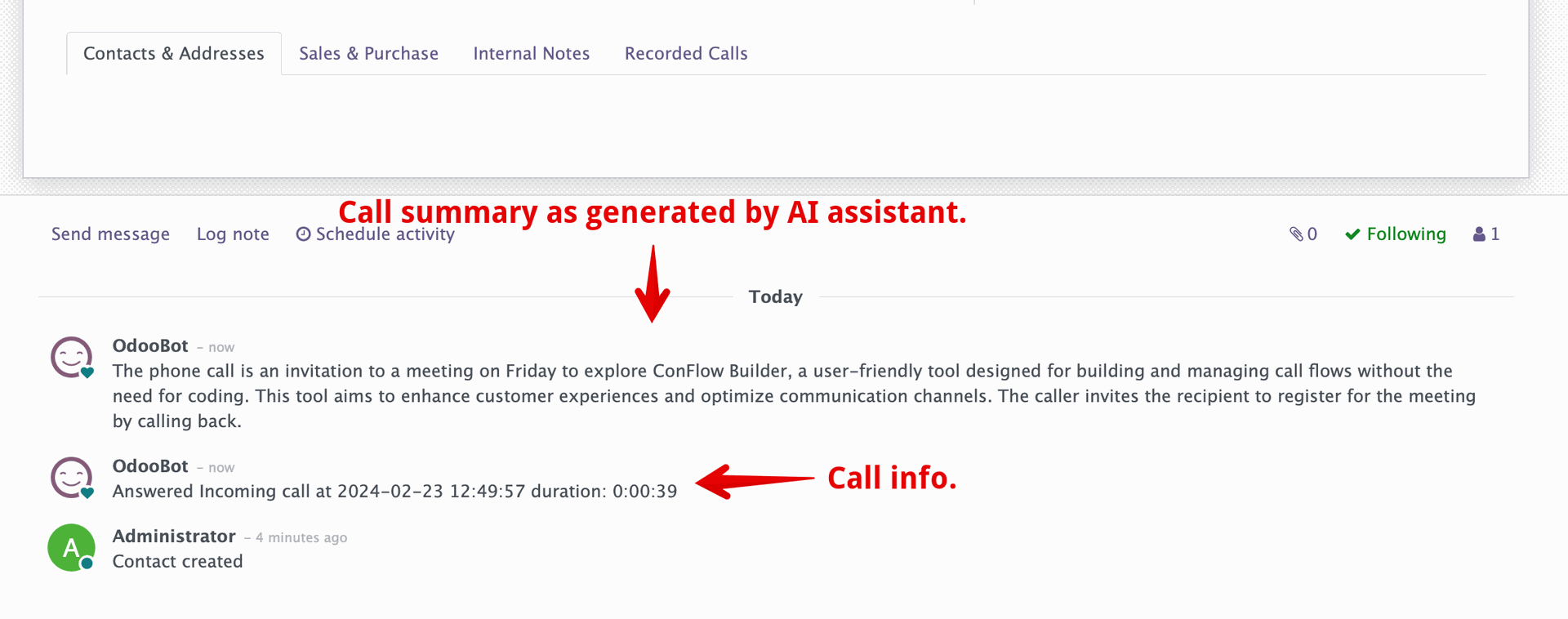
Example summary posted on the partner:
Example patterns:
* `.+` — all numbers
* `^100.+$` — numbers starting with 100
* `^.+90$` — numbers ending with 90
* `^1234567890$` — exact number
Example summary posted on the partner: